cosense-grass visualizes your activity on Cosense (formerly Scrapbox) as a one-year contribution graph ("grass"). A user script counts the minutes you spend writing and reading in each Cosense project, and this service draws the graph as an image that you can embed or share. The amount of activity per day is shown by the depth of color, and the balance of writing and reading by the hue.
cosense-grass is not an official Cosense service. It is a personal project and is not affiliated with Helpfeel Inc., the operator of Cosense.
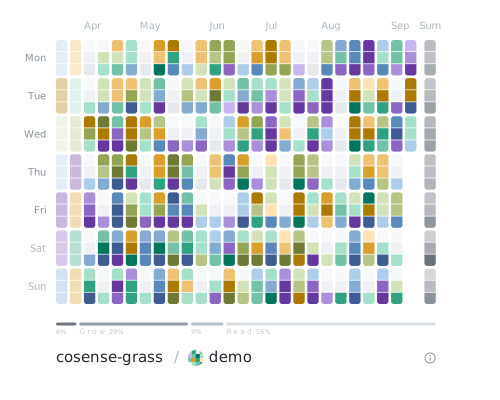
Each day is split into morning, afternoon, and night. Minutes written are split into pages you newly created (Create), pages you created before (Grow), and pages created by others (Engage), and the line below the graph shows their ratio together with minutes read (Read).
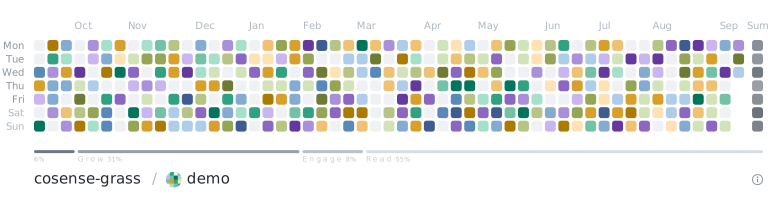
The images above are demos, not real records. The same image can show half a year or one year, with each day as three cells or one.
Activity is counted separately on each device (computer or browser) where you open Cosense.
Google Sign-In is used only to merge records from your devices into one graph.
You sign in only when adding a device; signing in is not required to read this page or to view a shared graph.
We request the openid scope only and receive only your Google account identifier. We never receive your email address or name
(privacy policy).
Add one line from the distribution page to script.js on your own user page in Cosense (/{project}/{username}).
The bundle is in the public project /cosense-grass.
import "/api/code/cosense-grass/v1/script.js"Once added, it starts counting your activity in that project. Activity before you add it is not counted. To use it in multiple projects, add the same line to your user page in each project.
"cosense-grass" is added to the page menu. To merge your graph with other devices or to create a share URL, sign in with Google from "設定" (Settings) in that dialog.
If you have already set it up in Cosense, you can see your graph on the management page.
The only thing sent to the server is which minutes of which days you were active. Page titles, page contents, and project names are never sent. See the privacy policy for details.
cosense-grass · Management · Privacy · GitHub